Rednote Product Seeding Images: AI Visual Tips for Brands
Product seeding images work when they explain who the product is for, what problem it solves, and why it is worth trying. AI can help turn those points into a cover, scenario images, comparison pages, and checklists.
A practical 5-page structure
- Cover: product, scene, and one benefit-led headline.
- Pain point: show the problem visually.
- Benefits: explain three advantages with short labels.
- Scenario: show lifestyle use cases or before/after.
- Summary: list audience fit and save-worthy reasons.
AI prompt template
Create a Rednote product seeding image set for a portable coffee cup. The audience is commuters. Use a 3:4 ratio, clean lifestyle photography, one cover with the headline “Good coffee on the commute”, plus pages for pain point, three benefits, usage scenario, and summary checklist.
Keep it useful, not just promotional
Let the cover be bold, but make the body pages more helpful. Explain context, details, and decision reasons so the post feels like a useful recommendation instead of a pure ad.
Real case: winter skincare seeding images
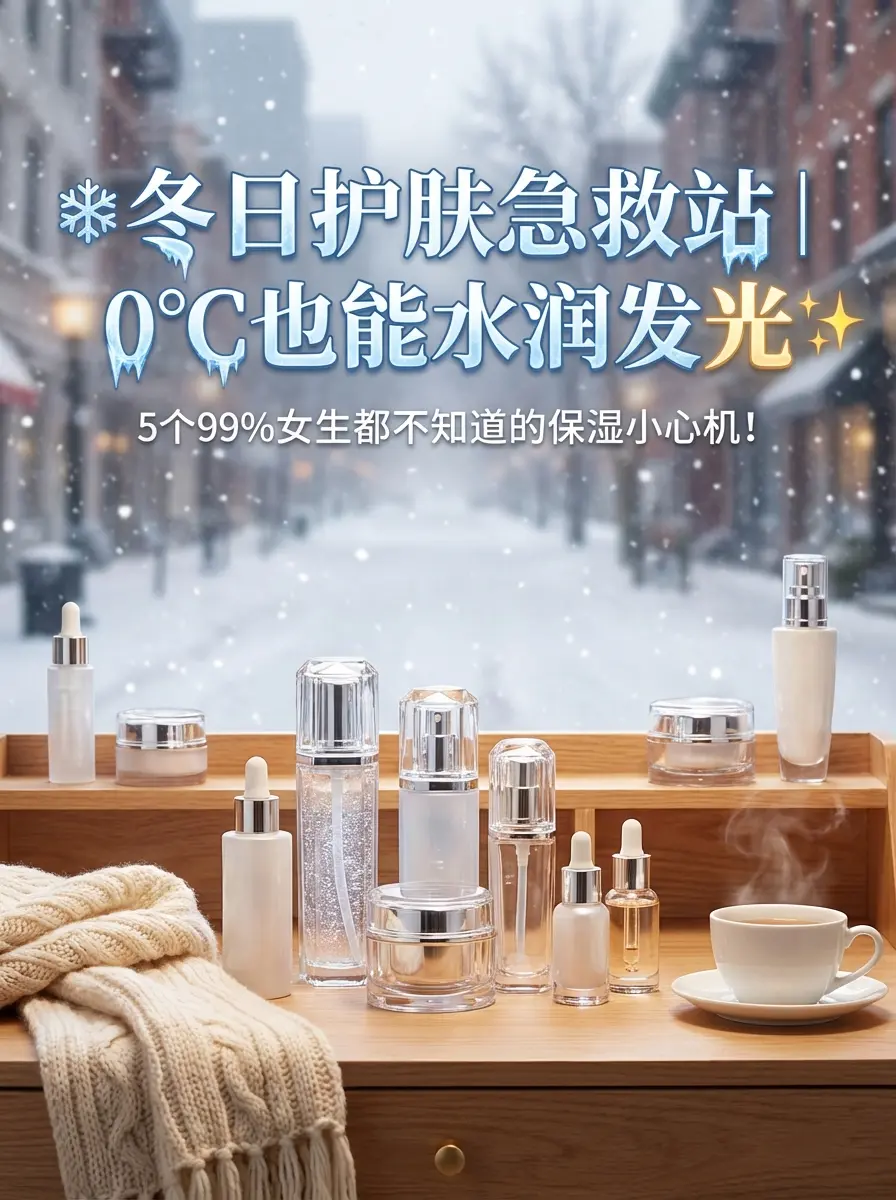
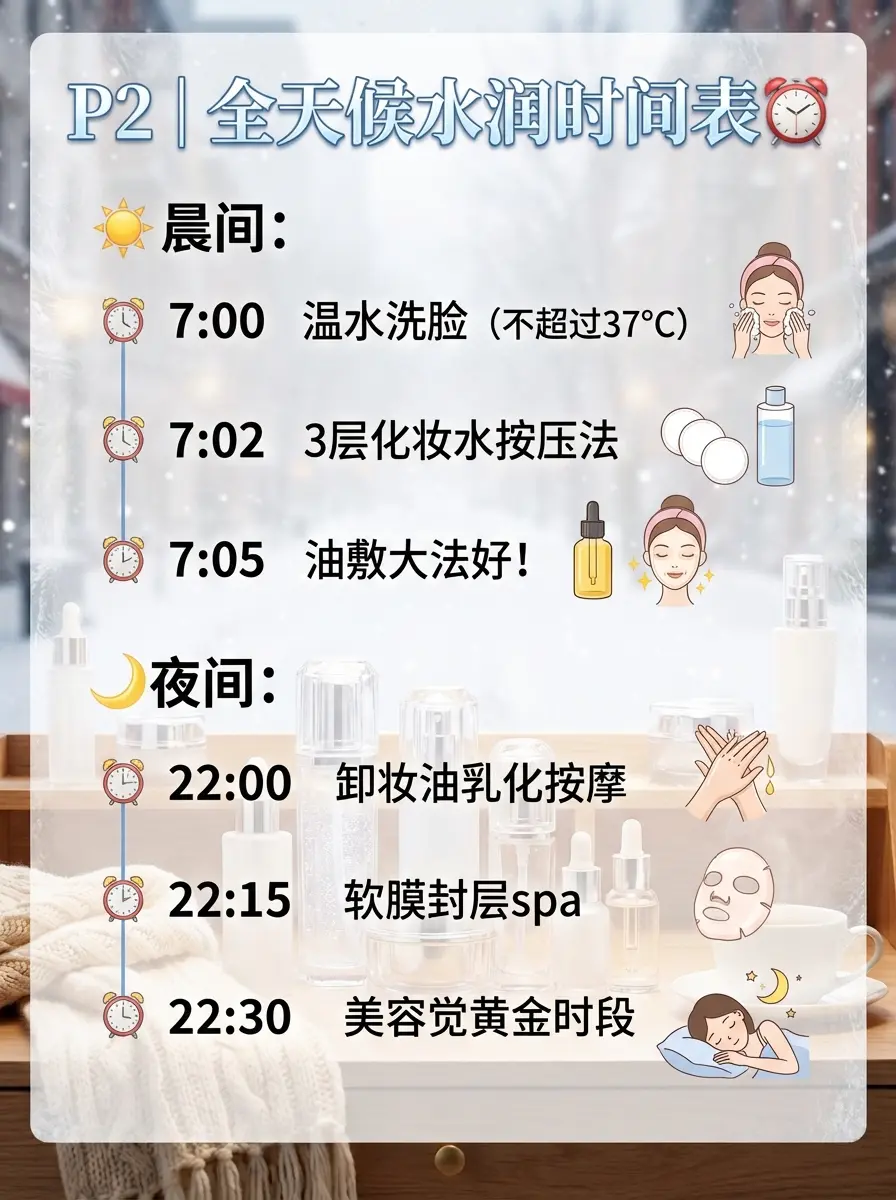
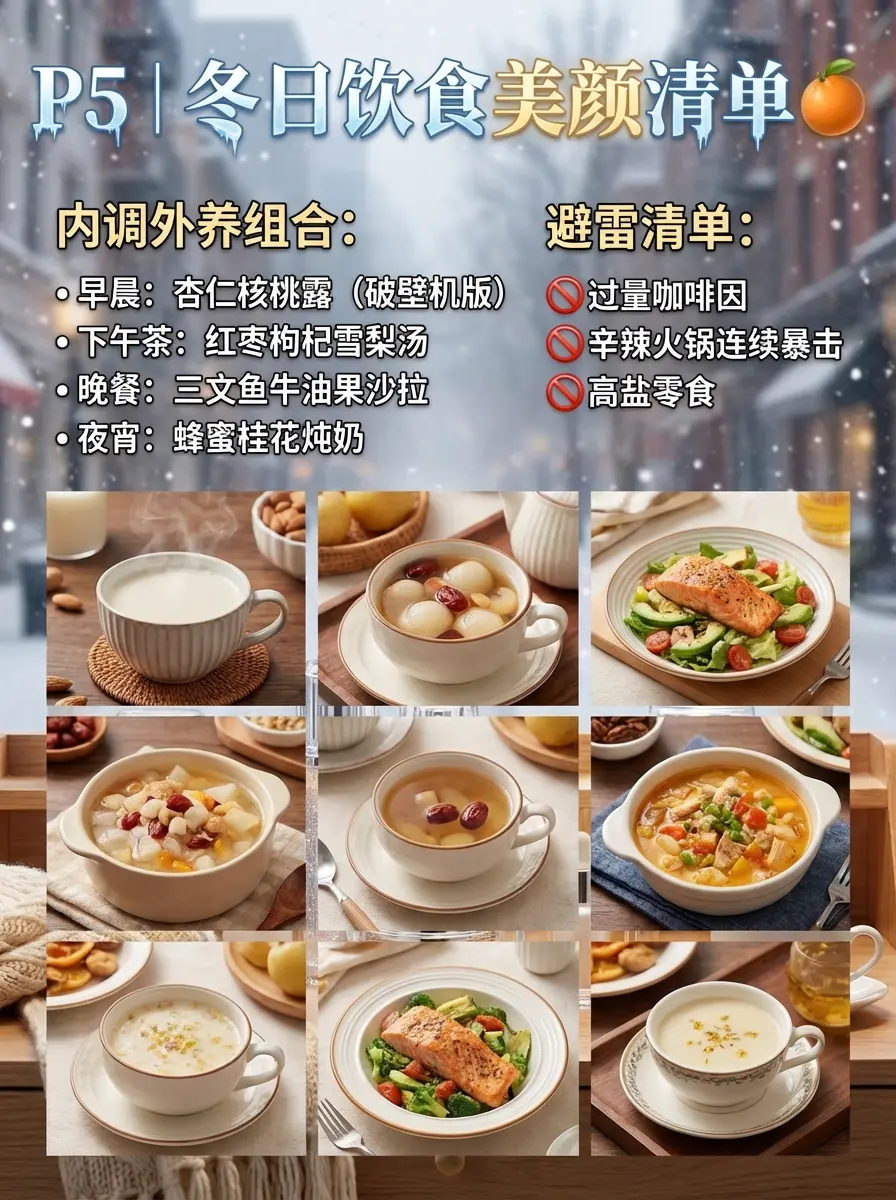
The winter skincare example uses a seasonal pain point on the cover, then adds timeline and checklist pages for more practical detail. That makes the post feel like a useful routine, not only a product pitch.
Use the Rednote image generator to generate the first version, then refine product names, pricing, and brand-specific claims manually.
Ready to make product seeding images?
Generate Rednote Images